We have detected that you are browsing from a different location from the one that corresponds to this website. Please confirm which site you would like to visit.
Select or drag your files here
Add your documents to the configurator and choose the printing options you want.
Print your documents in black and white, or fill them with colour for little more.
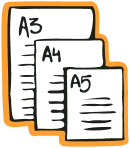
We print in A3, A4 and A5, choose the one that best suits your needs!
Choose from over 16 colours of spirals, front and back covers. Customize your documents to the maximum!
You can choose to receive your documents as loose sheets, stapled, laminated or bound with coloured spirals.
We use papers of various weights and finishes, all of the highest quality and certified with FSC and Ecolabel standards.
The size of your file does not match the print format you selected. If the file is larger, the excess will be cropped. If it’s smaller, it will be centered with white margins added around it.
We've converted your file to PDF for printing. In the process, some elements may have shifted. Click the eye icon and make sure everything is in place.
Dimensions 210 x 297 mm. It is the most used and common size and is ideal for printing notes, official documents, etc.
Dimensions 297 x 420 mm. It is exactly twice the size of A4 and is ideal for printing posters, plans, posters, etc.
Dimensions 148 x 210 mm. It is exactly half the size of A4 and is ideal for agendas, notebooks, etc.
80 gsm Navigator paper. This is the best standard paper on the market. Its whiteness, silky touch and weight make it ideal for printing notes, personal documents, and more.
100 gsm Navigator paper. Thicker and whiter than standard paper, making it the ideal choice for documents that require higher quality, such as presentations or reports. If you're printing double-sided files with lots of colour, this paper prevents any show-through. Plus, by choosing this option, your documents will be printed on a printer that ensures better quality, consistency and reproduction of colours, text, lines and gradients.
120 gsm Color Copy paper. This is the best satin paper on the market, soft to the touch and exceptionally white, with a matte finish. It's a highly calendered offset paper, which gives it such smoothness. Highly recommended for printing final degree or master's projects or documents that require a professional and elegant look.
200 gsm Color Copy paper. A very smooth, white and medium-thick paper that works as a fine-quality cardstock. Ideal for printing matte-finish documents that need a bit more durability, such as flyers, brochures or plans.
300 gsm Color Copy paper. This is the thickest paper we offer—100% white and ultra-smooth cardstock that conveys elegance and quality. Perfect for matte-finish documents requiring extra sturdiness due to frequent handling, such as catalogues, magazine covers, books, diplomas, decorative prints…
130 gsm Novatech Coated paper. Also known as gloss or art paper, it has a shiny, smooth surface and is non-porous, which allows for sharp detail and vibrant colour definition. In other words, this paper offers a visually striking finish. Widely used in the print industry for brochures, flyers, posters...
170 gsm Novatech Coated paper. This paper has the same features as the 130 gsm version (shiny, smooth and non-porous), but it's thicker. Ideal for documents needing a more polished and robust appearance, such as magazines, catalogues, folders…
300 gsm Novatech Coated paper. The thickest coated paper we offer. It shares the same features as the 130 and 170 gsm versions (shiny, smooth and non-porous), but its greater thickness gives it the consistency of cardstock. Typically used for printing books, inserts…
120 gsm Conqueror Laid paper. Also known as ribbed or textured paper, this rough-finish paper has visible laid lines when held up to the light. It has a distinctive oyster (cream with a yellowish tone) colour, high quality and unique texture due to its fibres. Often used to convey elegance and attention to detail—ideal for envelopes, invitations, fine art materials, official documents such as diplomas or certificates…
300 gsm Conqueror Laid paper. Same features as the 120 gsm version (oyster tone, rough texture and great strength), but thicker. It’s used for premium printed products that require added sturdiness, such as manuals, corporate stationery, promotional prints, calendars, business cards…
White adhesive paper by UPM Raflatac. Only printable on one side. It includes an adhesive layer allowing it to stick to surfaces permanently, like a label. This is a 120 gsm matte white opaque paper with a backing sheet featuring die-cuts for easy peel-off.
Transparent adhesive paper by UPM Raflatac. Printable only on one side. Made of polypropylene, this paper has a plastic-like texture, is shiny and thinner than the white adhesive paper. It’s ideal for glass surfaces when you want the background to remain visible. Comes with a die-cut backing sheet for easy removal. It’s also waterproof, heat-resistant, tear- and break-resistant, with outstanding durability, making it perfect for product labelling.
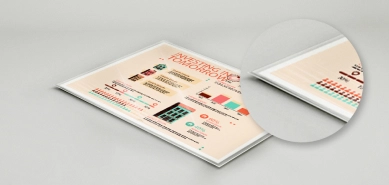
260 gsm Glossy Photo Paper. Printable only on one side, and a white border will always be included around the print. Photo paper differs from standard papers due to its special coating that makes it more flexible, stable and smooth. Its glossy finish enhances colours and detail, offering vibrant, high-contrast results. Perfect for photos, graduation prints... and also for promotional materials where vibrant colours and shine are a priority.
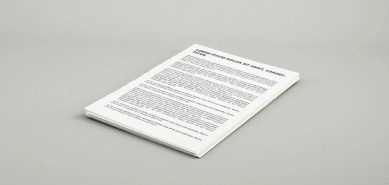
Your files will be delivered printed on loose sheets. That means they will come straight from the printer without any kind of finishing.
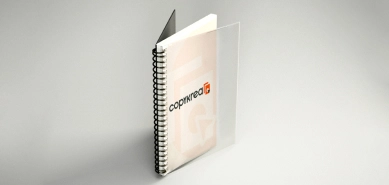
Your files will be bound in volumes with plastic spirals and plastic or cardboard covers (we will indicate in the configurator which material each cover is made of). We have a wide variety of colours so that you can personalise your binding to the maximum. Please note that the maximum number of sheets (folios) that can be bound per volume is approximately 400 (there are no larger plastic spirals that allow this). If your documents exceed this number of sheets, we will split the binding into multiple volumes, always trying to make them as similar as possible and not cutting a subject in half. Therefore, if this is inconvenient for you, we recommend sending us your documents already divided independently, taking into account this sheet limit.
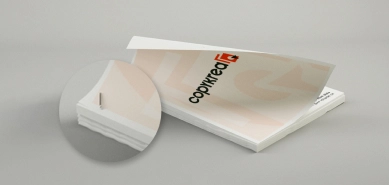
Your files will be stapled individually in the upper left corner of the sheet. Please note that the maximum number of sheets (folios) that can be stapled is approximately 100. Therefore, if your file exceeds this number, they cannot be sent stapled. We advise you to send us your documents taking into account this sheet limit if you want to receive them stapled.
Each sheet will be laminated with 80-micron self-adhesive pouches. The lamination will protect your document and enhance its visual appearance and durability.
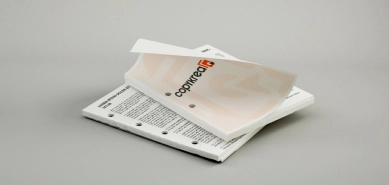
Your documents will be punched with two or four holes, depending on the selection you make in the punching section of the configurator. You will receive them ready for archiving.
You can simulate the final result of your binding in our configurator by selecting the colour of the spirals and covers.
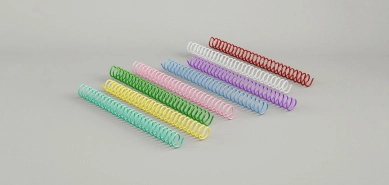
We offer 18 plastic spiral colours to fully personalize your binding. We use a 4:1 punch pattern, with 46 holes on the long side of the sheet. Based on the number of pages in your document, we will use the appropriately sized ring.
We have two types of back covers: embossed cardboard and plastic
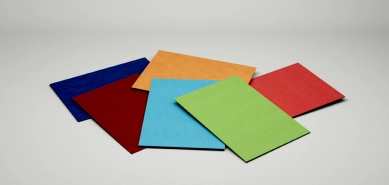
Embossed cardboard covers are more durable, stiffer and age better—making them ideal for thicker bindings. Available colours: black, burgundy, dark blue, and dark green.
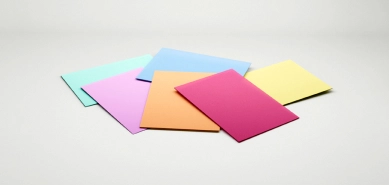
Plastic covers are lighter and thinner than cardboard, making them more flexible. They resist water better and can be cleaned with a damp cloth. Available colours: black, pastel pink, pastel yellow, light lilac, pastel blue, red, white, fuchsia, gray, purple, orange, green, blue, yellow, turquoise, salmon, beige, aquamarine, light green, olive green, and transparent (the transparent one matches the front cover and lets you see the last page of your document).
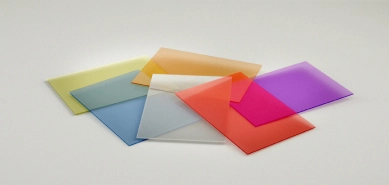
Our front covers are all made of plastic, offering flexibility and lightness. Available shades: transparent, translucent, translucent yellow, translucent blue, translucent red, translucent dark green, translucent light green, translucent orange, translucent fuchsia, translucent lilac, and translucent yellow‑green. The transparent cover fully reveals the document’s front page with a glossy finish, while the translucent ones still show it less sharply and have a matte finish.
We need to clarify a detail of your order to ensure that you receive the prints just as you need them. Please confirm the following information.
Your print is double-sided, but we see that you only have single-page documents. By default, the system adds a blank page at the end of documents with odd pages to maintain their order and start on a new sheet. However, based on the type of your files, we think you might want this to be different, and the second document appears on the reverse side of the first document, i.e., combined. How do you want us to print them?
Default
Each document will start on a new sheet
Combine
The second document will be printed on the reverse side of the first
We need to clarify a detail about your order to make sure you receive your prints exactly as you need them. Please confirm the following information.
You've added several blank pages to your document. Please note that you have selected blank (non-printed) sheets, not multiple copies of your document. If you want to print more than one copy of your file, please specify the amount using the “Number of Copies” button.
We need to clarify a detail in your order to ensure you receive your prints just as you need them. Please confirm the following information.
Your document has only one page and you've requested multiple pages per side. Would you like us to repeat that page to fill the sheet? Otherwise, by default, your single page will be reduced in size and the rest of the sheet will be blank.
We need to clarify a detail of your order to ensure you receive the prints exactly as you need them. Please confirm the following information.
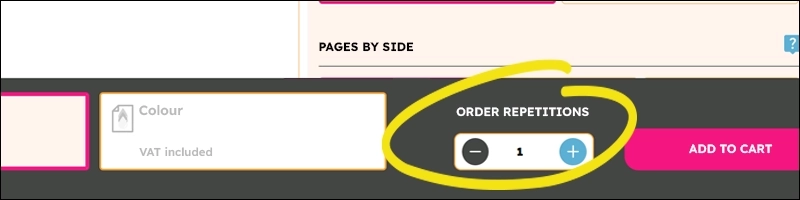
You indicated that you wanted multiple copies of some files, but when selecting grouped binding, copies must be applied to the entire set (not per individual file). If you want to receive more than one copy of the already grouped and bound file, indicate it in the “Order repetitions” button you will find at the end of the configurator. In the image below, you can see where to easily find this button.
Your product has been successfully added to the cart.